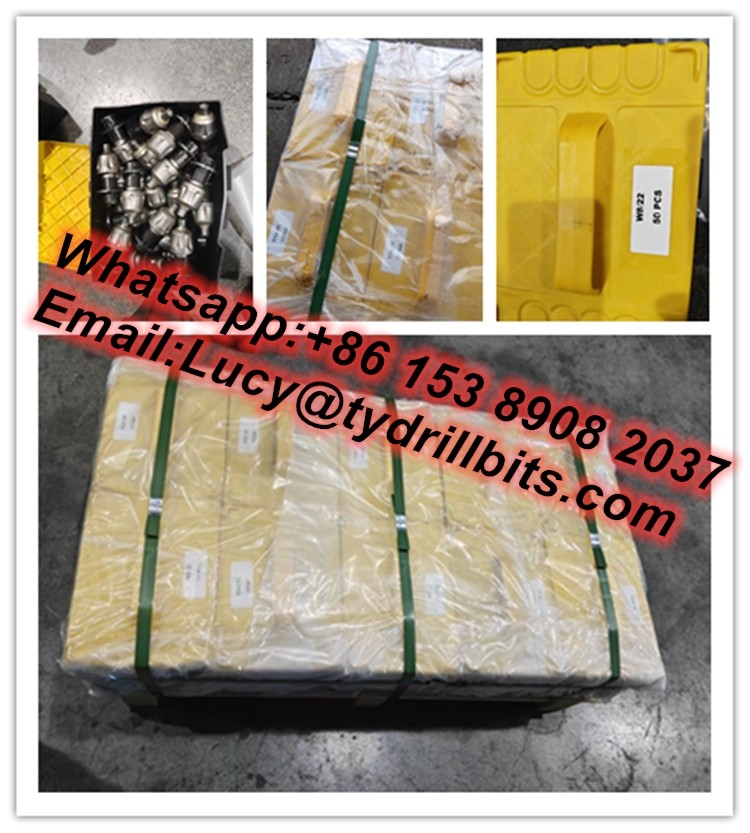
Let's start with a scenario we've all encountered—or heard about far too often: A crew is deep into a pipeline installation, racing to beat an approaching storm. The trencher has been humming along for hours, carving a clean path through the soil. Then, without warning, it slows. The operator eases off the throttle, and the machine grinds to a halt. A quick inspection reveals the problem: half the
trencher cutting tools
are chipped, and one has snapped clean off. By the time replacements are found, installed, and the machine is back up, the storm hits. Work stops, deadlines slip, and the budget takes a hit. Sound familiar?
Downtime isn't just an inconvenience—it's a silent profit killer. For businesses relying on trenchers, every minute the machine isn't moving translates to lost productivity, missed deadlines, and frustrated teams. The good news? Most downtime related to
cutting tools is preventable. With the right mix of proactive maintenance, smart tool selection, and operator awareness, you can slash downtime and keep your trencher running like a well-oiled machine. In this article, we'll break down the top 10 strategies to achieve exactly that, drawing on real-world insights and practical tips from industry veterans.
1. Start with a Rigorous Inspection Routine
You wouldn't drive a car cross-country without checking the tires, oil, and brakes first—so why treat your trencher any differently? Regular inspections are the foundation of reducing downtime, yet they're often the first task to get skipped when schedules get tight. The key is to make inspections quick, systematic, and non-negotiable.
Begin with a pre-shift check list that operators can complete in 5–10 minutes. Focus on the
cutting tools themselves: Are the teeth loose? Are there cracks or chips in the carbide tips? Is the wear even across all tools, or is one side more worn than the other? For example,
taper button bits
(common in rock-heavy terrain) should be inspected for rounded or missing buttons—even a small chip can throw off balance and accelerate wear.
Weekly, dig deeper (pun intended). Remove a few
cutting tools to inspect the mounting hardware: bolts, pins, and retainers. Rust, corrosion, or stripped threads here can lead to tools flying off mid-operation—a dangerous and costly scenario. Pay special attention to areas where debris tends to build up, like between the tool holder and the trencher chain. Caked mud or rocks can hide cracks or looseness, so clean these areas thoroughly before inspecting.
To make inspections actionable, create a simple checklist. Below is a sample template operators can use daily:
|
Component
|
What to Check
|
Frequency
|
Action If Issue Found
|
|
Cutting Teeth (e.g.,
taper button bits
, carbide inserts)
|
Chips, cracks, wear depth, missing tips
|
Daily (pre-shift)
|
replace if wear exceeds 30% of original tip height; tighten loose teeth immediately
|
|
Tool Holders/Retainers
|
Looseness, cracks, corrosion, bent brackets
|
Daily (pre-shift)
|
Tighten bolts; replace if cracked or bent
|
|
Chain/Track (for chain-driven trenchers)
|
Tension, lubrication, broken links
|
Daily (pre-shift)
|
Adjust tension; lubricate; replace broken links
|
|
Hydraulic Lines (to cutting arm)
|
Leaks, kinks, bulges
|
Daily (pre-shift)
|
Repair leaks; replace damaged lines
|
|
Cutting Tool Alignment
|
Tools sitting straight, no tilting or misalignment
|
Weekly
|
Adjust holders; replace bent brackets
|
The goal isn't to overcomplicate things—just to build a habit. Over time, operators will start noticing patterns: Maybe
taper button bits
wear faster on Mondays (after sitting idle over the weekend), or certain tool holders loosen more frequently. These patterns become invaluable for predicting issues before they cause downtime.
2. Match the Tool to the Job (Because One Size Never Fits All)
Here's a hard truth: Using the wrong cutting tool for the terrain is like using a butter knife to cut concrete—you'll end up with a dull knife and a messy job. Tool selection is one of the most overlooked causes of downtime, but it's also one of the easiest to fix. The first step is to understand your soil (or rock) type, then pair it with the right tool design.
Let's break down common terrain types and the tools that work best:
Soft Soil (Clay, Sand, Loam):
For these materials,
carbide drag bits
are your best friend. Their flat, wide cutting edges slice through soft ground with minimal resistance, reducing stress on the trencher and extending tool life. Look for drag bits with staggered teeth to prevent clogging—this is especially important in clay, which tends to stick to tools.
Compacted Soil/Gravel:
Here, you need a tool that can break up dense material without bouncing or skipping.
taper button bits
excel here, thanks to their conical carbide tips that penetrate and fracture compacted layers. The taper design also helps shed debris, reducing the risk of jamming.
Rocky Terrain (Soft Rock, Limestone):
For rock, you'll want tools with extra durability. Tungsten carbide-tipped tools or those with reinforced steel bodies are a must. Some operators swear by
wear-resistant auger bullet teeth
in rocky conditions—their bullet shape allows them to "bite" into rock without chipping, while the wear-resistant coating adds longevity.
The mistake many teams make is sticking with the same tool setup regardless of the job. A trencher equipped with
carbide drag bits
that worked great on a sand project will struggle (and wear out fast) when suddenly faced with gravel. Take 10 minutes before each job to assess the terrain—dig a small test hole with a shovel, or consult the site geologist's report. Then swap out tools as needed. It might seem like extra work upfront, but it will save hours of downtime later.
"We used to run the same
cutting tools on every job to save time, but we were replacing them twice as often," says Mark, a trenching foreman with 15 years of experience. "Now we take 15 minutes to check the soil and swap tools if needed. The tools last 30% longer, and we haven't had an unexpected breakdown in six months."
3. Optimize Operating Parameters (Speed, Depth, and Feed Rate)
Operators are under pressure to finish jobs fast, so it's tempting to crank up the trencher's speed and push it to the limit. But here's the paradox: Running too fast often leads to slower overall progress, thanks to increased tool wear and more frequent breakdowns. The key is to find the "sweet spot" in operating parameters—speed, depth, and feed rate—that balances productivity with tool longevity.
Let's start with speed. Most trenchers have adjustable chain or wheel speeds, and the general rule is: the harder the terrain, the slower the speed. In soft soil, you can run at higher speeds (within the manufacturer's recommendations) because the tools aren't under as much stress. In rock or compacted gravel, though, high speeds cause the tools to bounce or skid, leading to chipping and uneven wear. A good guideline is to reduce speed by 20–30% when moving from soft to hard terrain.
Depth is another critical factor. Trenching too deep in one pass forces the
cutting tools to work harder, increasing friction and heat. Instead, make multiple shallow passes. For example, if you need a 3-foot trench, start with a 1-foot pass, then 2 feet, then 3 feet. This reduces the load on each cutting tool, preventing overheating and extending their life.
Feed rate—the rate at which the trencher advances into the ground—works hand in hand with speed and depth. A high feed rate in hard terrain can cause tools to "jam" against rocks or roots, leading to snapped teeth or bent holders. Conversely, a feed rate that's too slow wastes time and can cause tools to "rub" against the ground, wearing down the carbide tips prematurely.
So how do you find the right feed rate? Listen to the machine. A smooth, consistent hum means things are going well. If you hear grinding, rattling, or the engine straining, it's a sign the feed rate is too high. Ease off slightly until the noise subsides. Modern trenchers often have built-in sensors that monitor load and temperature—teach operators to pay attention to these alerts. If the trencher's display shows high tool temperature, slow down and let the tools cool.
It's also important to avoid "rushing through" tough spots. If the trencher hits a rock or root, the natural instinct is to power through it. Instead, stop, raise the trencher slightly, and approach the obstacle at a slower speed and angle. This allows the
cutting tools to chip away at the obstacle gradually, rather than slamming into it with full force.
Training operators to adjust parameters on the fly is key. Host a quick 10-minute huddle before each shift to review the day's terrain and agree on target speeds and depths. Over time, operators will develop a "feel" for what works, but having clear guidelines prevents reckless behavior when deadlines loom.
4. Invest in Operator Training (It's Not Just About "Knowing How to Start the Machine")
A trencher is only as good as the person operating it. Yet many companies skimp on training, assuming that anyone who can start the engine and move the levers is "qualified." The reality is that skilled operators can reduce tool downtime by 40% or more, simply by understanding how tools wear, when to adjust parameters, and how to spot early warning signs.
Training should go beyond the basics of machine operation. Focus on tool-specific knowledge: What do
taper button bits
sound like when they're starting to fail? How does soil type affect
carbide drag bit
performance? When should an operator stop work to inspect tools, even if the machine is still running?
Role-playing scenarios are a great way to reinforce this. For example, set up a mock job site with different soil types and ask operators to identify which tools to use, adjust the trencher's settings, and spot potential issues in a set of pre-worn
cutting tools. Bring in a veteran operator or tool manufacturer rep to lead workshops—they can share tricks of the trade, like "If the trencher starts vibrating more than usual, check for uneven tool wear" or "Clay sticking to the tools means you need to slow down and clean more often."
Safety training is also tied to downtime prevention. An operator who rushes to meet a deadline might skip wearing gloves when changing tools, leading to a cut that takes them off the job. Or they might ignore a loose safety guard, which could damage the cutting chain and tools. Integrate tool safety into training: proper handling of sharp tools, using the right tools for changing bits (never a hammer and screwdriver!), and securing the trencher before performing inspections.
Finally, create a culture where operators feel empowered to speak up. If an operator notices that the
trencher cutting tools
are wearing unevenly, they should feel comfortable stopping work to report it—not pushing through to avoid "slowing down the team." Reward operators who catch issues early—this reinforces the behavior and builds a proactive team.
5. Clean Tools Thoroughly (Yes, Even the "Hard-to-Reach" Spots)
At the end of a long day, the last thing anyone wants to do is spend 20 minutes cleaning
cutting tools. But caked-on mud, rocks, and debris are silent enemies. They trap moisture, leading to rust; they hide cracks or loose teeth; and they throw off the balance of the cutting chain, increasing vibration and wear.
Make post-shift cleaning mandatory. Provide operators with high-pressure hoses, wire brushes, and degreaser (for oily or sticky soils). Focus on three key areas:
Between the Teeth and Holders:
Debris here can wedge tools out of alignment or cause them to loosen. Use a wire brush or small pick to scrape out mud and rocks. For stubborn clay, let the tools soak in warm water for 5 minutes before scrubbing—this softens the clay and makes it easier to remove.
Carbide Tips:
Even small amounts of debris on the cutting edge can reduce efficiency and cause uneven wear. A quick blast with a pressure washer (from a safe distance to avoid damaging the carbide) will keep tips clean and sharp.
Mounting Hardware:
Bolts and pins can seize up if left covered in mud. Clean them thoroughly, then apply a light coat of anti-seize lubricant to make future removals easier.
For jobsites without access to running water, keep a bucket of water and a stiff brush handy. It's not ideal, but it's better than leaving tools caked in debris overnight.
Storage matters too. After cleaning, store tools in a dry, covered area. Avoid leaving them on the ground or in puddles—moisture is the main cause of rust, which weakens tool steel and causes carbide tips to loosen. Use a tool rack or storage bin with dividers to keep tools organized and prevent them from banging against each other (which can chip carbide tips).
"We used to throw used
cutting tools in a bucket at the end of the day, and by morning they'd be rusted or chipped from clanging together," says Sarah, a fleet manager. "Now we have a dedicated tool cabinet with dividers, and operators clean tools before storing. Rust-related tool failures have dropped to zero."
6. Monitor Wear Patterns (They Tell a Story)
Cutting tools wear down—that's inevitable. But the way they wear can reveal a lot about what's going wrong with your trencher or operation. By learning to read wear patterns, you can fix underlying issues before they lead to catastrophic failures and downtime.
Here are the most common wear patterns and what they mean:
Uneven Wear (One Side of Teeth More Worn):
This usually points to misalignment. Check if the cutting chain is tracking straight, or if the tool holders are bent. For example, if all the teeth on the left side of the trencher are worn down, the chain might be pulled to the right, causing uneven contact with the ground. A quick adjustment to the chain tension or tool holder alignment will fix this.
Rounded Carbide Tips (Instead of Sharp Edges):
This is a sign of overheating, often caused by running the trencher too fast in hard terrain or insufficient cooling. Slow down the speed, and ensure the trencher's cooling system (if equipped) is working properly. In extreme cases, overheating can weaken the bond between the carbide tip and the steel body, leading to tips breaking off.
Chipping or Cracking:
This typically happens when tools hit hard obstacles (like rocks or rebar) at high speed, or when using the wrong tool for the terrain. For example,
carbide drag bits
(designed for soft soil) will chip easily if used in rock. Switch to a more durable tool (like
taper button bits
) and train operators to slow down when encountering obstacles.
Loose or Missing Teeth:
If teeth are coming loose frequently, check the mounting hardware. Worn or stripped bolts are often the culprit—replace them with new, high-quality bolts (never reuse stripped ones). If bolts are tight but teeth still loosen, the tool holders might be worn out and need replacement.
The best way to track wear is to take photos of the
cutting tools at the start of each job, then compare them weekly. Over time, you'll start to see patterns: Maybe tools wear faster on jobs with high clay content, or certain operators consistently have more chipping. Use this data to adjust tool selection, training, or operating parameters.
7. Use Quality Replacement Parts (Cheap Tools Cost More in the Long Run)
When a cutting tool breaks, the temptation is to grab the cheapest replacement available to get back to work fast. Resist this urge. Cheap, off-brand tools might save a few dollars upfront, but they'll cost you far more in downtime, replacements, and machine damage.
Here's why quality matters:
Material Quality:
High-quality
trencher cutting tools
use premium carbide (often with a higher tungsten content) and heat-treated steel bodies. This makes them more resistant to chipping, cracking, and wear. Cheap tools, by contrast, use lower-grade carbide and softer steel—they might look the same, but they'll wear out in half the time.
Manufacturing Precision:
Reputable manufacturers use tight tolerances when making tool holders and cutting bits, ensuring a snug, secure fit. Cheap tools often have sloppy measurements, leading to loose fits that cause vibration and accelerated wear.
Warranty and Support:
Most quality tool brands offer warranties (6 months to a year) and technical support. If a tool fails prematurely, you can get a replacement at no cost. Cheap tools rarely come with warranties, so you're on the hook if they break.
This doesn't mean you have to buy the most expensive brand on the market—just prioritize brands with a proven track record. Ask peers in the industry for recommendations, or look for tools that meet industry standards (like ISO or API certifications).
One area where skimping is especially risky is
wear-resistant auger bullet teeth
. These teeth are subjected to extreme stress, and cheap versions often snap or wear down in days. Investing in a reputable brand here can double or triple tool life, more than offsetting the higher upfront cost.
Finally, buy in bulk. Keeping a stock of common tools (like
carbide drag bits
and
taper button bits
) on hand means you can replace a broken tool in minutes, not hours (or days, if you have to wait for delivery). Store them in a labeled, organized bin so operators can grab what they need quickly.
8. Address Vibration and Alignment Issues (Your Tools Will Thank You)
Trenchers vibrate—that's normal. But excessive vibration is a silent killer of
cutting tools. It loosens bolts, chips carbide tips, and causes uneven wear, all of which lead to downtime. The good news is that most vibration issues are fixable with a little troubleshooting.
Start by checking the trencher's alignment. A misaligned cutting chain or boom can cause the machine to vibrate excessively. For chain-driven trenchers, check if the chain is tracking straight on the sprockets—if it's rubbing against the side of the sprocket, it's misaligned. Adjust the tensioners or realign the sprockets to fix this. For wheel trenchers, ensure the wheels are parallel and the cutting teeth are aligned evenly around the wheel.
Next, inspect the tool holders. Bent or damaged holders can cause individual tools to sit at odd angles, leading to vibration when they hit the ground. replace any holders that are bent, cracked, or otherwise damaged—don't try to bend them back into shape (they'll just bend again under stress).
Loose components are another common cause of vibration. Check the trencher's engine mounts, boom hinges, and cutting arm connections for looseness. Tighten bolts to the manufacturer's recommended torque (use a torque wrench—guessing can lead to over-tightening and stripped threads).
Finally, consider the terrain. Rocky or uneven ground naturally causes more vibration. In these cases, slow down and reduce the trencher's depth to minimize the impact on tools. You might also want to invest in vibration-dampening tool holders, which absorb some of the shock and reduce wear on both tools and the machine.
9. Adjust for Seasons and Environmental Conditions
Weather and environmental conditions play a huge role in tool wear and downtime, yet they're often ignored. A trencher that runs smoothly in summer might struggle in winter, and vice versa. The key is to adjust your maintenance and operation habits based on the season.
Winter/Cold Weather:
Metal becomes more brittle in cold temperatures, so
cutting tools are more prone to chipping or snapping. To combat this, use tools with a higher impact resistance (look for carbide grades rated for low temperatures). Warm up the trencher for 5–10 minutes before starting work—this allows the hydraulic fluid to thin and the metal to expand slightly, reducing stress on tools. Also, avoid hitting frozen ground at full speed—frozen soil is as hard as rock, so slow down and use
taper button bits
instead of drag bits.
Summer/Hot Weather:
Heat causes tools to overheat, which weakens the bond between carbide tips and steel bodies. Keep tools cool by reducing speed and taking more frequent breaks (5 minutes every hour to let tools cool). If possible, schedule work during cooler parts of the day (early morning or late afternoon). Lubricants can also break down in heat, so switch to a high-temperature lubricant for tool holders and chains.
Wet Weather/Mud:
Mud clogs tools, reduces cutting efficiency, and causes rust. Use tools with self-cleaning designs (like staggered teeth or curved edges) to shed mud. Clean tools more frequently—at least twice a day instead of once—to prevent rust. If the ground is extremely wet, consider delaying work if possible—saturated soil is harder to trench and causes more tool wear.
10. Track Data and Embrace Predictive Maintenance
The final strategy to reduce downtime is to move beyond reactive maintenance ("fix it when it breaks") to predictive maintenance ("fix it before it breaks"). This relies on data—tracking tool life, inspection results, downtime incidents, and operating conditions—to predict when tools are likely to fail.
Start simple: Create a spreadsheet or use a maintenance app to log every downtime incident related to
cutting tools. Note the date, tool type, cause (e.g., "
taper button bit chipped"), terrain, operator, and repair time. Over a few months, patterns will emerge: Maybe
carbide drag bits
last 100 hours in sand but only 50 hours in clay, or operator A has 30% fewer tool failures than operator B.
Use this data to set replacement schedules. For example, if
taper button bits
typically fail after 80 hours in rocky terrain, replace them at 70 hours—before they fail unexpectedly. This way, you can plan replacements during scheduled breaks (like at the end of a shift) instead of in the middle of a job.
For larger fleets, consider investing in telematics systems that track machine hours, speed, and vibration in real time. Some advanced systems can even send alerts when tool wear exceeds a certain threshold, allowing you to proactively schedule maintenance.
The goal isn't to overcomplicate things—just to make decisions based on facts, not guesswork. Even a simple logbook can reduce downtime by 20% or more, simply by helping you spot trends and plan ahead.
Wrapping Up: Small Changes, Big Results
Reducing trencher cutting tool downtime isn't about overhauling your entire operation overnight. It's about small, consistent changes: adding a 5-minute inspection to the pre-shift routine, training operators to adjust speed based on terrain, or investing in quality
taper button bits
instead of cheap alternatives. Over time, these changes add up to fewer breakdowns, longer tool life, and a more productive team.
Remember, downtime isn't just a cost—it's an opportunity. Every minute your trencher is running smoothly is a minute you're moving closer to deadlines, satisfying clients, and boosting your bottom line. So start today: Pick one strategy from this list, implement it, and watch the results roll in. Before long, you'll wonder how you ever operated without it.